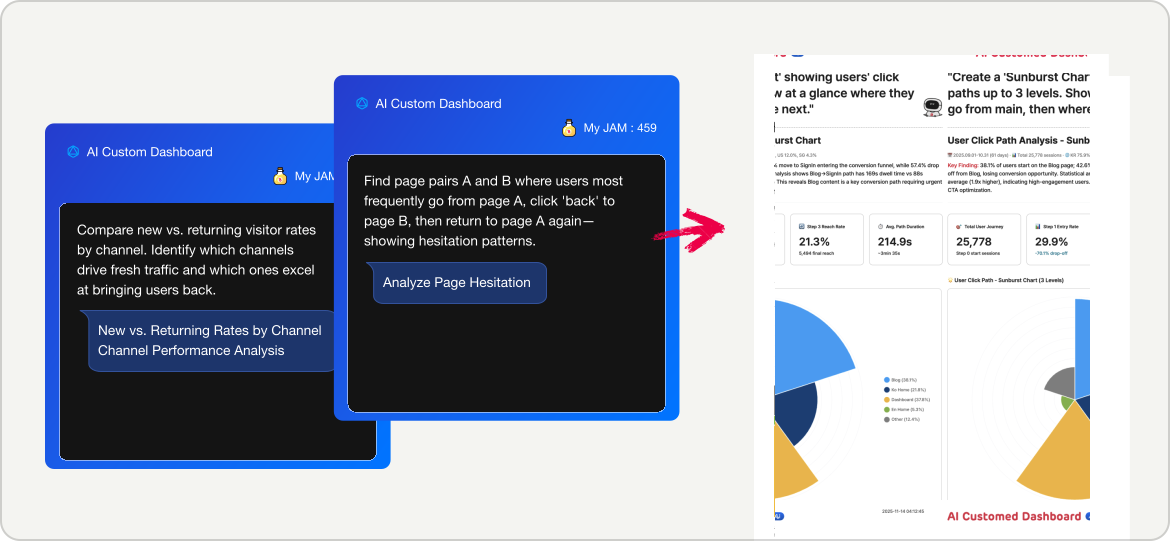
Ask me anything!
Back
Setup is easy. Everything after? Not so much.

Ready
with Just Installation

GA provides data. Beusable provides answers.
Everything is automated, from installation to insights.
What they don't tell you
You installed GA4. Great!
But that's just the beginning.
GA4 Reality

Setup ≠ Done

GA4 installed
Data collecting
Dashboards? Build them yourself
Segments? Configure manually
Reports? You're on your own
Setup time: Months
Still far from useful
VS
Innovation

Setup = Done

Beusable installed
Expert dashboards auto-created
Smart segments pre-configured
Key segments tracked
AI insights ready
Setup time: 0 seconds
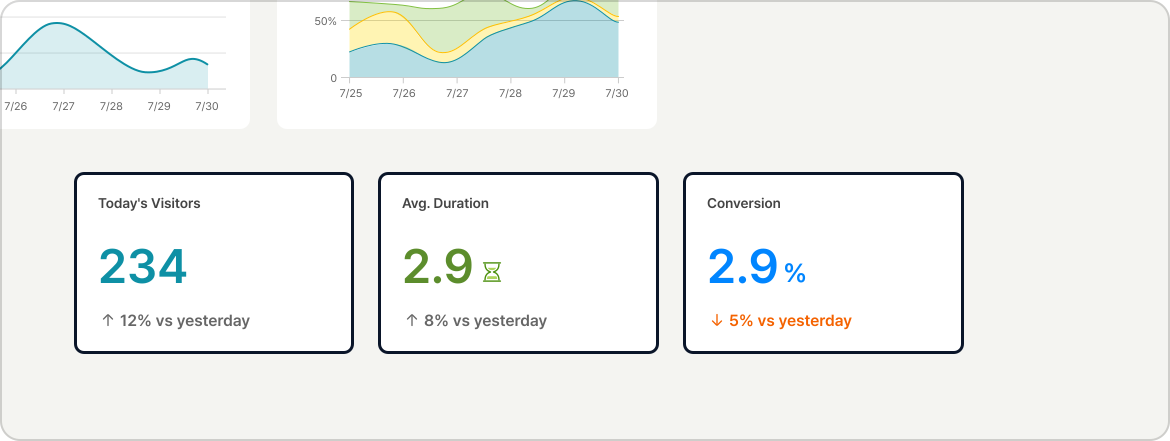
Everything ready
the moment you hit install

What Beusable actually gives you

  • Daily/weekly/monthly traffic dashboards
  • Channel analysis (Direct, Google, Naver, social, etc.)
  • Page performance (20+ detailed metrics)
  • Real user journey tracking
  • Device breakdowns (Desktop/Mobile/Tablet)
  • Geographic analysis (50+ countries)
  • New vs. returning visitor analysis
  • UX Friction Index (auto-calculated)
Step 1

Expert dashboards instantly

Beusable doesn't just give you "setup = done."
It goes way beyond.

Key findings

  • Google traffic up 24%
  • Friction detected on SignIn page (15.9% Friction Index)
  • Mobile conversion lower than desktop
The Difference with GA4
With GA4, you have to build dashboards yourself. Track each widget, connect data, and configure layers. Even just setting up the basics takes forever.
Step 2

Chat to create dashboards

Want a custom view? Just ask.
No clicking, no configuring, no headaches.
The Difference with GA4

GA4 Dashboard Creation

Add Widget  →  Select Data Source  →

Set Segment  →  Choose Chart Type  →
Arrange Layout  →  Save
VS

Beusable Dashboard Creation

Automatically created
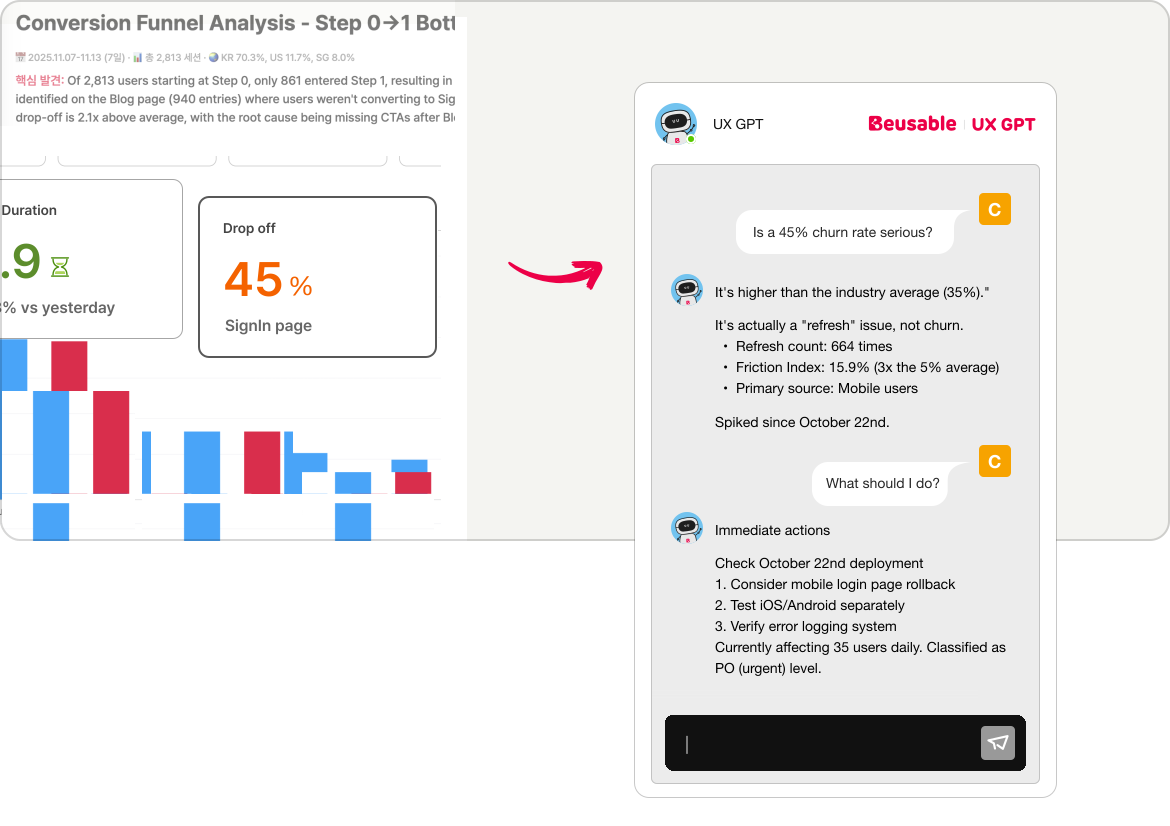

with just one request
Step 3

Ask questions while browsing

See something interesting? Curious about the data?
Just ask right there.
The Difference with GA4GA4 shows just "45% bounce rate."
Is it good or bad? Why? What next?
You figure it out.
With Beusable, ask as you view—get instant answers.
How this plays out IRL

Monday morning,
meeting prep

Your boss wants last week's campaign performance
by 9 AM. It's 8:30.

With GA4

1Open GA4
2Set date range to "last week"
3Create new dashboard
4Add traffic trends widget
5Add channel breakdowm widget
6Add conversion rates widget
7Adjust layout
8Take screenshot
9Paste into Slack
Time: 30 ~ 60min

With Beusable

1
Open Beusable
2
Type: "Last week's campaign dashboard"
3
AI auto-generates dashboard
a.Traffic trends
b.Channel breakdown
c.Conversion rates
d.Key insights
4
Hit share link
5
Paste into Slack
Time: 2 ~ 3min
How this plays out IRL

During meeting,
CEO's question

The CEO asks: "Can we see just US users?"

With GA4

Let me check and get back to you...
1Create new dashboard
2Setup US segment manually
3Add widget
4Check report
I'll share it separately after the meeting.
Time: 30 ~ 60min
(after meeting)

With Beusable

Sure, give me 10 seconds!
1
Type:"Create a dashboard for US user traffic and conversion rate"
2
Dashboard instantly updates
1,775 visitors,
up 28% from last month.
Time: 2 ~ 3min
(during meeting)
How this plays out IRL

Writing report,
curious about data

While viewing the dashboard,
a number catches your eye.
"Pricing page bounce rate 38%, is that high?"

With GA4

1Search Google "avg bounce rate"
2Message analyst on Slack
3Wait for reply,,,
4Forget while doing other tasks
Reply : Sometime

With Beusable

Pricing page bounce rate 38%, is that high?
Higher than industry average (25%). Mobile has issues. Slow price table loading causes users to leave.
Reply : Instantly

Step-by-Step Guide

Beusable grows with you.
From beginner analyst to strategy consultant—useful at every stage!

Beginner

Report Automation
Examples
1What's today's status?
2This week's visitors?
3Today vs. yesterday?

Auto-generate daily reports.
Check metrics and trends anytime.

Intermediate

Issue Diagnosis
Examples
1Why did mobile users drop?
2Highest exit rate page?
3Which channel lost new visitors?

Auto-identify key segment issues.
Find UX design improvements.

Advanced

Strategic Consulting
Examples
1Mobile new user funnel
2Dwell time vs exit rate by channel
3This month's key improvements

Generate data-driven reports.
Access expert insights anytime.

7 CX Analysis Patterns
(CX Intelligence Matrix)

Beusable uses 7 proven customer experience patterns to auto-combine your data.
Just ask a question.
1
Volume + QualityTraffic x Session quality → Site health
Traffic's up but I'm worried about quality.
Show me traffic volume vs. engagement time over the last 30 days in a dual chart.
CEO
AI Insight
Pageviews are up but time on site is down. You're getting low-quality traffic.
2
Page FrictionPage data x UX metrics → Friction Index
Build me an 'instant bounce' dashboard.
List pages where users leave in under 10 seconds.
UX Designer
AI Insight
SignIn page has 664 refreshes. Users are hitting a major login barrier.
3
Funnel AnalysisUser journey x Drop-offs → Bottlenecks
Show me where new users go right after signing up.
Visualize their first-time journey.
PM
AI Insight
In the blog → login → profile flow, step 2 'login' has 45% drop-off.
Your funnel's collapsing..
4
Channel ROIReferral x Segments x Sessions → Channel value
Between Google and Naver ads, which channel has better real performance?
Not just traffic—engagement and pages viewed.
Maketer
AI Insight
Google brings new users but low engagement.
Naver brings returning users with high engagement. Google = awareness, Naver = loyalty.
5
Multi-DimensionalDevice x UX metrics x Time series → Root cause
This login refresh issue—is it mobile-only?
Show me desktop vs. mobile comparison.
PM
AI Insight
SignIn refreshes spiked on 10/22, only on mobile (correlation 0.82).
Roll back your 10/22 mobile deployment.
6
Geographic StrategyLocation x Journey → Market-specific tactics
How do US vs. Korean users behave differently on our site?
Show me top 3 pages for each.
CEO
AI Insight
Korean users browse (home→blog→features, 5.3 min avg).
US users convert fast (home→pricing→signup, 3.1 min avg). Korea = content marketing, US = ROI calculator.
7
Ultimate (All 9 Categories)Full data x AI logic → Consulting-grade report
Build a 'CEO morning report' dashboard.
Top half = site health (volume + quality). Bottom half = P0 urgent issue + P1 key win.
CEO
AI Insight
High SignIn refreshes are mobile-specific, concentrated in the 'blog → login' funnel step 2.
Check the login button script at the bottom of mobile blog posts immediately. (P0 urgent)

What makes Beusable different

Install = Done

Expert-level dashboards auto-created
the second you hit install

Install = Done

Expert-level dashboards auto-created
the second you hit install

Chat interface

Create custom dashboards by typing
what you want in plain English

Chat interface

Create custom dashboards by typing
what you want in plain English

AI insights

Get consulting-level analysis without
paying consultant prices

AI insights

Get consulting-level analysis without
paying consultant prices

Korean market data

Proper tracking for Naver, Kakao,
and other Korean channels

Korean market data

Proper tracking for Naver, Kakao,
and other Korean channels

Zero setup time

From install to insights
in under 5 minutes. Seriously.

Zero setup time

From install to insights
in under 5 minutes. Seriously.

Real-time answers

Ask questions during meetings
and get instant answers

Real-time answers

Ask questions during meetings
and get instant answers

숨겨진 가치 - 고급 컨설팅

GA4를 대체하는 것만이 전부가 아닙니다.
월 300만원 상당의 컨설팅을 구독료에 포함했습니다.

GA 컨설팅 서비스

월 300만원+

수일~수주 소요
업무시간만 가능
인력 의존 (확장 불가)
담당자별 편차 발생
분석가 연락 대기

뷰저블 AI

구독료에 포함

2-3분 생성 (죽시)
24시간 365일 가능
무제한 확장 (SaaS)
AI 기반 일관성
바로 질문하고 답변

컨설턴트가 뷰저블의 진짜 고객입니다.

반복적인 데이터 작업은 자동화하고, 전략 컨설팅에만 집중하세요.
추가 비용 없이, 언제든 즉시 컨설턴트 수준의 분석을 무제한으로 제공합니다.

미팅 중 즉시 답변

“다음주에 확인해드리겠습니다.”
→ “지금 바로 보시죠"

미팅 중 즉시 답변

“다음주에 확인해드리겠습니다.”
→ “지금 바로 보시죠"

주말 근무 해소

월요일 리포트 준비 시간
일요일 저녁  →  월요일 아침 5분

주말 근무 해소

월요일 리포트 준비 시간
일요일 저녁  →  월요일 아침 5분

클라이언트 수 확대

데이터 작업 자동화로
5개의 클라이언트를 20개까지 관리

클라이언트 수 확대

데이터 작업 자동화로
5개의 클라이언트를 20개까지 관리

재계약률 상승

즉시 답변하는 컨설턴트를
클라이언트가 놓치지 않음

재계약률 상승

즉시 답변하는 컨설턴트를
클라이언트가 놓치지 않음

주당 40시간, 어디에 사용할까요?

기존 워크플로우

클라이언트 5개

데이터 수집12시간
대시보드 구성10시간
리포트 작성8시간
전략 컨설팅10시간
뷰저블 워크플로우

클라이언트 20개

자동화데이터 수집
자동화대시보드 구성
자동화리포트 작성
40시간전략 컨설팅
75% 자동화 > 4배 확장 본질적 가치에 집중